Weaviate is an open-source, cloud-native vector database designed for storing, searching, and managing data objects alongside their vector embeddings. It supports semantic search, hybrid search (combining vector and keyword search), generative AI workflows, and scales to billions of objects in production.
1. Overview & Key Features
What Makes Weaviate Different
Schema-based design — Weaviate uses a class-and-property schema (similar to an ORM) that enforces structure on your data while still allowing flexible vectorization.
Built-in vectorization modules — Connect OpenAI, Cohere, Hugging Face, or local models directly. Weaviate can auto-vectorize on insert so you never handle raw embeddings manually.
Hybrid search — Combine BM25 keyword search with vector similarity in a single query using a tunable alpha parameter.
GraphQL & REST API — Query data with GraphQL for complex retrievals or REST for simple CRUD operations.
Multi-tenancy — Isolate data per tenant with minimal overhead, ideal for SaaS applications.
Horizontal scalability — Shard and replicate data across nodes for high availability and throughput.
HNSW indexing — Uses Hierarchical Navigable Small World graphs for fast approximate nearest neighbor (ANN) search.
Weaviate vs Other Vector Databases
vs Chroma: Weaviate is more production-oriented with built-in sharding, replication, and multi-tenancy. Chroma is lighter weight and better for prototyping.
vs FAISS: FAISS is a library (no server, no persistence by default). Weaviate is a full database with CRUD, filtering, and an API layer.
vs Pinecone: Weaviate is open-source and self-hostable. Pinecone is fully managed but proprietary.
vs Milvus: Both are production-grade. Weaviate has a stronger module ecosystem and GraphQL API; Milvus offers more index types.
# List all collection names
collections = client.collections.list_all()
for name in collections:
    print(name)

# Get detailed config for a specific collection
article = client.collections.get("Article")
config = article.config.get()
print(f"Vectorizer: {config.vectorizer}")
print(f"Properties: {[p.name for p in config.properties]}")
4. CRUD Operations
Insert Objects
from datetime import datetime

articles = client.collections.get("Article")

# --- Insert a single object ---
uuid = articles.data.insert(
    properties={
        "title":      "Introduction to Vector Databases",
        "content":    "Vector databases store data as high-dimensional vectors, "
                      "enabling semantic similarity search across millions of records.",
        "category":   "Technology",
        "published":  datetime(2024, 6, 15),
        "word_count": 1200,
        "is_premium": False,
    }
)
print(f"Inserted with UUID: {uuid}")

# --- Batch insert multiple objects ---
with articles.batch.dynamic() as batch:
    data = [
        {
            "title":     "Understanding HNSW Indexing",
            "content":   "Hierarchical Navigable Small World graphs provide "
                         "logarithmic search complexity for nearest neighbor queries.",
            "category":  "Engineering",
            "published": datetime(2024, 7, 20),
            "word_count": 2500,
            "is_premium": True,
        },
        {
            "title":     "RAG Pipeline Best Practices",
            "content":   "Retrieval-Augmented Generation combines vector search "
                         "with large language models to produce grounded answers.",
            "category":  "AI",
            "published": datetime(2024, 8, 5),
            "word_count": 1800,
            "is_premium": False,
        },
        {
            "title":     "Scaling Vector Search to Billions",
            "content":   "Horizontal sharding and product quantization enable "
                         "vector databases to handle billions of embeddings.",
            "category":  "Engineering",
            "published": datetime(2024, 9, 10),
            "word_count": 3200,
            "is_premium": True,
        },
    ]
    for item in data:
        batch.add_object(properties=item)

print(f"Batch inserted {len(data)} objects.")
Read Objects
articles = client.collections.get("Article")

# Fetch a specific object by UUID
obj = articles.query.fetch_object_by_id(uuid)
print(f"Title: {obj.properties['title']}")
print(f"UUID:  {obj.uuid}")

# Fetch multiple objects with a limit
result = articles.query.fetch_objects(limit=10)
for o in result.objects:
    print(f"  {o.properties['title']} ({o.properties['category']})")
Update Objects
articles = client.collections.get("Article")

# Update specific properties (partial update)
articles.data.update(
    uuid=uuid,
    properties={
        "word_count": 1350,
        "is_premium": True,
    }
)
print("Object updated.")

# Replace all properties (full replace — omitted fields become null)
articles.data.replace(
    uuid=uuid,
    properties={
        "title":      "Introduction to Vector Databases (Revised)",
        "content":    "Updated and expanded guide to vector databases.",
        "category":   "Technology",
        "published":  datetime(2024, 10, 1),
        "word_count": 2000,
        "is_premium": True,
    }
)
Delete Objects
articles = client.collections.get("Article")

# Delete by UUID
articles.data.delete_by_id(uuid)

# Delete by filter (bulk delete)
from weaviate.classes.query import Filter

articles.data.delete_many(
    where=Filter.by_property("category").equal("Archived")
)

# Delete entire collection
client.collections.delete("Article")
5. Vector Search (Semantic Search)
Vector search finds objects whose embeddings are closest to a query vector. Weaviate calls this near_text (auto-vectorizes your query) or near_vector (you provide the raw vector).
Near Text Search
from weaviate.classes.query import MetadataQuery

articles = client.collections.get("Article")

# Search by natural language query — Weaviate vectorizes it automatically
response = articles.query.near_text(
    query="How do vector databases work internally?",
    limit=5,
    return_metadata=MetadataQuery(distance=True, certainty=True)
)

for obj in response.objects:
    print(f"[{obj.metadata.distance:.4f}] {obj.properties['title']}")
    print(f"  {obj.properties['content'][:100]}...")
    print()
Near Vector Search
import openai

# Generate your own embedding
oai = openai.OpenAI()
embedding = oai.embeddings.create(
    input="scalable search architecture",
    model="text-embedding-3-small"
).data[0].embedding

articles = client.collections.get("Article")

response = articles.query.near_vector(
    near_vector=embedding,
    limit=3,
    return_metadata=MetadataQuery(distance=True)
)

for obj in response.objects:
    print(f"[{obj.metadata.distance:.4f}] {obj.properties['title']}")
Distance Metrics
cosine (default) — measures angle between vectors. Best for normalized embeddings from most models.
dot — dot product. Faster, but sensitive to vector magnitude.
l2-squared — Euclidean distance. Good when absolute magnitude matters.
manhattan — L1 distance. Sometimes better for sparse or high-dimensional vectors.
hamming — for binary vectors. Counts differing dimensions.
6. Hybrid Search
Hybrid search combines BM25 keyword matching with vector similarity and fuses the results. The alpha parameter controls the balance: alpha=0 is pure keyword, alpha=1 is pure vector, and alpha=0.5 is an equal mix.
Basic Hybrid Query
from weaviate.classes.query import MetadataQuery

articles = client.collections.get("Article")

response = articles.query.hybrid(
    query="HNSW graph indexing for nearest neighbor",
    alpha=0.75,   # 75% vector, 25% keyword
    limit=5,
    return_metadata=MetadataQuery(score=True, explain_score=True)
)

for obj in response.objects:
    print(f"[score: {obj.metadata.score:.4f}] {obj.properties['title']}")
Hybrid Search with Filtering
from weaviate.classes.query import Filter

response = articles.query.hybrid(
    query="production deployment best practices",
    alpha=0.6,
    limit=5,
    filters=Filter.by_property("is_premium").equal(True),
)

for obj in response.objects:
    print(f"  {obj.properties['title']} (premium)")
When to Use Hybrid vs Pure Vector
Hybrid (alpha=0.5–0.8): Best when queries contain specific technical terms, product names, or acronyms that keyword search handles well, but you also want semantic understanding.
Pure vector (alpha=1.0): Best for conceptual or natural language queries where exact keyword matches are unlikely.
Pure keyword (alpha=0.0): Best for exact phrase matching or when users search by IDs, codes, or proper nouns.
7. Filtering & Aggregation
Property Filters
from weaviate.classes.query import Filter

articles = client.collections.get("Article")

# Single filter
response = articles.query.fetch_objects(
    filters=Filter.by_property("category").equal("Engineering"),
    limit=10
)

# Compound filters with AND / OR
response = articles.query.fetch_objects(
    filters=(
        Filter.by_property("category").equal("AI") &
        Filter.by_property("word_count").greater_than(1000) &
        Filter.by_property("is_premium").equal(False)
    ),
    limit=10
)

# OR filter
response = articles.query.fetch_objects(
    filters=(
        Filter.by_property("category").equal("AI") |
        Filter.by_property("category").equal("Engineering")
    ),
    limit=10
)

for obj in response.objects:
    print(f"  {obj.properties['title']} — {obj.properties['category']}")
articles = client.collections.get("Article")

# Count objects matching a filter
result = articles.aggregate.over_all(total_count=True)
print(f"Total articles: {result.total_count}")

# Aggregate with filters
from weaviate.classes.aggregate import Metrics

result = articles.aggregate.over_all(
    filters=Filter.by_property("category").equal("Engineering"),
    return_metrics=Metrics("word_count").integer(
        count=True, sum_=True, mean=True, maximum=True, minimum=True
    ),
    total_count=True
)
print(f"Engineering articles: {result.total_count}")
print(f"Avg word count: {result.properties['word_count'].mean}")
print(f"Total words: {result.properties['word_count'].sum_}")
8. Generative Search (RAG)
Weaviate's generative module sends retrieved objects to an LLM to produce grounded answers — a built-in RAG pipeline with no external orchestration needed.
Single-Prompt Generation
from weaviate.classes.query import MetadataQuery

articles = client.collections.get("Article")

# Retrieve + generate per object
response = articles.generate.near_text(
    query="vector database indexing",
    limit=3,
    single_prompt=(
        "Summarize this article in two sentences: "
        "{title} — {content}"
    ),
    return_metadata=MetadataQuery(distance=True)
)

for obj in response.objects:
    print(f"Title: {obj.properties['title']}")
    print(f"Summary: {obj.generated}")
    print()
Grouped Generation
# Retrieve multiple objects, then generate ONE answer from all of them
response = articles.generate.near_text(
    query="How do vector databases scale?",
    limit=5,
    grouped_task=(
        "Using the following articles as context, write a comprehensive "
        "paragraph explaining how vector databases achieve scale. "
        "Cite specific techniques mentioned in the articles."
    )
)

# The grouped answer is on the response object, not individual objects
print("Generated answer:")
print(response.generated)
print(f"\nBased on {len(response.objects)} source articles.")
RAG with Filters
from weaviate.classes.query import Filter

response = articles.generate.hybrid(
    query="production deployment",
    alpha=0.7,
    limit=3,
    filters=Filter.by_property("is_premium").equal(True),
    grouped_task="Create a bullet-point checklist for deploying a "
                 "vector database in production based on these articles."
)

print(response.generated)
9. Multi-Tenancy
Multi-tenancy isolates data per tenant within a single collection. Each tenant gets its own vector index partition, so tenants cannot see each other's data and inactive tenants can be offloaded to cold storage.
Enable Multi-Tenancy
import weaviate.classes.config as wc

client.collections.create(
    name="UserDocument",
    multi_tenancy_config=wc.Configure.multi_tenancy(
        enabled=True,
        auto_tenant_creation=True,   # auto-create tenants on insert
        auto_tenant_activation=True, # auto-activate on access
    ),
    vectorizer_config=wc.Configure.Vectorizer.text2vec_openai(),
    properties=[
        wc.Property(name="title",   data_type=wc.DataType.TEXT),
        wc.Property(name="content", data_type=wc.DataType.TEXT),
    ]
)
Manage Tenants
from weaviate.classes.tenants import Tenant, TenantActivityStatus

collection = client.collections.get("UserDocument")

# Add tenants explicitly
collection.tenants.create([
    Tenant(name="tenant_A"),
    Tenant(name="tenant_B"),
    Tenant(name="tenant_C"),
])

# Deactivate a tenant (offload to cold storage)
collection.tenants.update([
    Tenant(name="tenant_C", activity_status=TenantActivityStatus.INACTIVE)
])

# List all tenants
tenants = collection.tenants.get()
for name, tenant in tenants.items():
    print(f"  {name}: {tenant.activity_status}")
Tenant-Scoped Operations
# Get a tenant-scoped collection handle
tenant_a = client.collections.get("UserDocument").with_tenant("tenant_A")

# Insert data — only visible to tenant_A
tenant_a.data.insert(properties={
    "title":   "Tenant A's Private Document",
    "content": "This data is isolated to tenant A only."
})

# Search within tenant_A's data only
response = tenant_a.query.near_text(
    query="private document",
    limit=5
)
for obj in response.objects:
    print(f"  {obj.properties['title']}")
10. Production Deployment & Best Practices
Performance Tuning
HNSW parameters: Increase ef (search-time beam width) for higher recall at the cost of latency. Increase efConstruction and maxConnections at index build time for better graph quality.
Vector compression: Enable Product Quantization (PQ) or Binary Quantization (BQ) to reduce memory usage by 4–32x with minimal recall loss.
Batch imports: Always use batch mode for bulk inserts. Set batch size to 100–500 objects depending on object size.
Skip vectorization: Mark properties like IDs, timestamps, and categories as skip_vectorization=True — they add noise to the vector.
import weaviate.classes.config as wc

client.collections.create(
    name="HighAvailabilityArticle",
    vectorizer_config=wc.Configure.Vectorizer.text2vec_openai(),
    replication_config=wc.Configure.replication(factor=3),
    sharding_config=wc.Configure.sharding(
        desired_count=3,          # number of shards
        virtual_per_physical=128, # virtual shards per physical
    ),
    properties=[
        wc.Property(name="title",   data_type=wc.DataType.TEXT),
        wc.Property(name="content", data_type=wc.DataType.TEXT),
    ]
)
Authentication & Security
from weaviate.classes.init import Auth

# API Key authentication
client = weaviate.connect_to_weaviate_cloud(
    cluster_url="https://your-cluster.weaviate.network",
    auth_credentials=Auth.api_key("your-api-key"),
)

# OIDC authentication (e.g., with Azure AD or Okta)
client = weaviate.connect_to_weaviate_cloud(
    cluster_url="https://your-cluster.weaviate.network",
    auth_credentials=Auth.client_credentials(
        client_id="your-client-id",
        client_secret="your-client-secret",
    )
)
Backup & Restore
# Create a backup to a configured backend (S3, GCS, or filesystem)
result = client.backup.create(
    backup_id="daily-backup-2024-09-15",
    backend="s3",
    include_collections=["Article", "UserDocument"],
    wait_for_completion=True,
)
print(f"Backup status: {result.status}")

# Restore from backup
result = client.backup.restore(
    backup_id="daily-backup-2024-09-15",
    backend="s3",
    wait_for_completion=True,
)
print(f"Restore status: {result.status}")
Production Checklist
Enable authentication — never run with anonymous access in production.
Set replication factor ≥ 2 — ensures data survives node failures.
Monitor with Prometheus + Grafana — Weaviate exposes metrics at /v1/meta and Prometheus endpoint.
Use persistent volumes — map /var/lib/weaviate to durable storage (EBS, persistent disks).
Configure resource limits — set memory limits based on dataset size. Rule of thumb: ~2 bytes per dimension per vector, plus overhead for the HNSW graph.
Enable compression — PQ or BQ for datasets over 1M vectors to reduce memory by 4–32x.
Schedule backups — automate daily backups to S3/GCS with lifecycle policies.
Version pin — pin Weaviate and client library versions in production to avoid breaking changes.
Complete Working Example
A self-contained example that creates a collection, inserts documents, and performs vector, hybrid, and generative searches:
import weaviate
import weaviate.classes.config as wc
from weaviate.classes.query import MetadataQuery, Filter
from datetime import datetime

# ── Connect ──────────────────────────────────────────────────
client = weaviate.connect_to_local()

# ── Create collection ────────────────────────────────────────
if client.collections.exists("KnowledgeBase"):
    client.collections.delete("KnowledgeBase")

client.collections.create(
    name="KnowledgeBase",
    vectorizer_config=wc.Configure.Vectorizer.text2vec_openai(
        model="text-embedding-3-small"
    ),
    generative_config=wc.Configure.Generative.openai(model="gpt-4o-mini"),
    properties=[
        wc.Property(name="title",    data_type=wc.DataType.TEXT),
        wc.Property(name="content",  data_type=wc.DataType.TEXT),
        wc.Property(name="topic",    data_type=wc.DataType.TEXT,
                    skip_vectorization=True),
        wc.Property(name="created",  data_type=wc.DataType.DATE),
    ]
)

# ── Batch insert ─────────────────────────────────────────────
kb = client.collections.get("KnowledgeBase")
docs = [
    {"title": "What is HNSW?",
     "content": "HNSW is a graph-based algorithm for approximate nearest "
                "neighbor search with logarithmic complexity.",
     "topic": "indexing", "created": datetime(2024, 1, 10)},
    {"title": "Product Quantization Explained",
     "content": "PQ compresses vectors by splitting them into sub-vectors "
                "and quantizing each independently.",
     "topic": "compression", "created": datetime(2024, 3, 22)},
    {"title": "BM25 Scoring",
     "content": "BM25 is a probabilistic ranking function used in keyword "
                "search based on term frequency and document length.",
     "topic": "search", "created": datetime(2024, 5, 14)},
    {"title": "Cosine Similarity",
     "content": "Cosine similarity measures the angle between two vectors, "
                "producing a value from -1 to 1.",
     "topic": "metrics", "created": datetime(2024, 6, 1)},
    {"title": "Hybrid Search Strategies",
     "content": "Hybrid search merges BM25 keyword scores with vector "
                "similarity scores using reciprocal rank fusion.",
     "topic": "search", "created": datetime(2024, 7, 18)},
]

with kb.batch.dynamic() as batch:
    for doc in docs:
        batch.add_object(properties=doc)
print(f"Inserted {len(docs)} documents.\n")

# ── Vector search ────────────────────────────────────────────
print("=== Vector Search ===")
response = kb.query.near_text(
    query="How does approximate nearest neighbor work?",
    limit=3,
    return_metadata=MetadataQuery(distance=True)
)
for obj in response.objects:
    print(f"  [{obj.metadata.distance:.4f}] {obj.properties['title']}")

# ── Hybrid search ────────────────────────────────────────────
print("\n=== Hybrid Search ===")
response = kb.query.hybrid(
    query="BM25 keyword scoring",
    alpha=0.5,
    limit=3,
    return_metadata=MetadataQuery(score=True)
)
for obj in response.objects:
    print(f"  [{obj.metadata.score:.4f}] {obj.properties['title']}")

# ── Filtered search ──────────────────────────────────────────
print("\n=== Filtered Search (topic=search) ===")
response = kb.query.near_text(
    query="ranking and retrieval",
    limit=5,
    filters=Filter.by_property("topic").equal("search"),
    return_metadata=MetadataQuery(distance=True)
)
for obj in response.objects:
    print(f"  [{obj.metadata.distance:.4f}] {obj.properties['title']}")

# ── Generative search (RAG) ─────────────────────────────────
print("\n=== Generative Search (RAG) ===")
response = kb.generate.near_text(
    query="vector search algorithms",
    limit=3,
    grouped_task="Based on these articles, explain in 3 sentences how "
                 "modern vector databases achieve fast similarity search."
)
print(f"  Generated: {response.generated}")

# ── Cleanup ──────────────────────────────────────────────────
client.close()
print("\nDone.")
Common Interview Questions:
What are the key HNSW parameters and how do you tune them?
Three knobs matter. efConstruction controls index build quality (higher = better recall, slower build, more RAM); typical 128–256. maxConnections (M) is the graph fan-out per node (higher = better recall, larger index); typical 16–64. ef is query-time search breadth (higher = better recall, slower queries); typical 64–512, tunable per query without rebuilding. Tune by fixing efConstruction and M at sane defaults, then sweep ef on a labeled query set until recall@10 plateaus — that's your production setting. Going beyond gives you latency without recall.
How does Weaviate's hybrid search work?
Weaviate runs both a BM25 sparse search and an HNSW vector search in parallel, then fuses the results. The default fusion is rankedFusion (RRF-style: combines on rank position) but you can switch to relativeScoreFusion which normalizes raw scores. The alpha parameter slides between pure BM25 (alpha=0) and pure vector (alpha=1); 0.5 is the typical default. Hybrid is enabled per query, not per index, so you can A/B test it without re-indexing. The win on enterprise corpora is consistently 5–15 points of recall over either method alone, especially for queries containing rare exact tokens.
How does Weaviate handle multi-tenancy?
Weaviate has first-class multi-tenancy: enable it on a class and each tenant gets its own physically separate shard with its own HNSW index. Inactivity makes shards offload to disk; activation reloads them. The wins are clean isolation (deleting a tenant is one operation), per-tenant backup/restore, and no cross-tenant query leakage by construction. The cost is operational: thousands of tenants means thousands of HNSW indexes to maintain, and small tenants with 100 vectors get the same index overhead as big ones. For tenant counts >10K you batch small tenants under a logical tenant_id filter inside one shard.
When would you choose Weaviate over alternatives?
Weaviate wins when you need: native multi-tenancy out of the box (vs Postgres-pgvector where you build it), built-in hybrid search without bolting on Elasticsearch, modules that auto-vectorize at write time (text2vec-openai, text2vec-cohere) so you don't run an embedding pipeline yourself, and GraphQL queries with cross-references between objects (object-graph traversal alongside vector search). It loses to pgvector on operational simplicity if you already run Postgres, to Pinecone on managed-service smoothness, and to Milvus at the absolute extreme of scale (multi-billion vectors with strict latency).
How do you back up and restore a Weaviate cluster?
Weaviate ships a backup module that snapshots all classes (or a subset) to S3, GCS, Azure Blob, or filesystem. Backups are online — reads continue, writes are briefly paused per-shard. Restore creates a new cluster (or restores into the same one) from the snapshot path. The gotcha is module compatibility: if the source used text2vec-openai and the target doesn't have OpenAI credentials configured, queries that auto-vectorize will fail. For multi-tenant deployments, backup individual tenants by name to avoid snapshotting the world. Always test restore in a staging cluster — an untested backup is a wish.
How do you handle schema changes in production Weaviate?
Weaviate schemas are flexible: you can add new properties to a class with no downtime — the existing objects get null for the new property until you backfill. You cannot rename or change the type of an existing property; that requires creating a new class and migrating. Re-vectorizing an existing corpus (new embedding model, larger dimensions) means a new class plus re-ingest because the vector dimension is fixed at class creation. Run the new class in parallel, dual-write for the transition window, swap reads, then drop the old class. Same playbook as a database column type migration.
Featured Videos
Curated talks and tutorials covering Weaviate setup, vector and hybrid search, generative RAG, multi-tenancy, and HNSW indexing — chosen to map to the sections above.
Fireship — A 2-minute primer on what vector databases are and why they exploded with LLMs. The fastest possible setup for the rest of this page.
Weaviate — Getting Started meetup: setup, vectorizers, schema definition, importing data, and the GraphQL API in one walkthrough. Maps to sections 2–3.
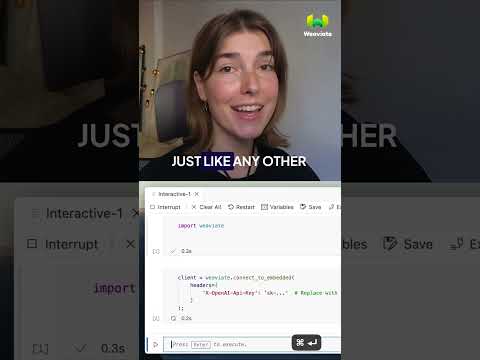
Weaviate — How to set up Weaviate Embedded directly inside a Python process. The lightweight alternative to the Docker workflow in section 2.
Weaviate — How to choose an embedding model. Dimensions, quality, cost, and locality trade-offs — the decision behind vectorizer_config.
Weaviate — Hello Weaviate Query Examples (Part 1). Live walkthrough of CRUD operations and vector search queries from the Python client.
Sam Witteveen — Advanced RAG 03: hybrid search combining BM25 keyword scoring with vector similarity, plus rank fusion. Section 6 in practice.
Kamalraj M M — Schema design plus optimizing results with querying and filtering. Direct match for section 7 on filters and aggregation.
AI Coffee Break — Generative Feedback Loops in Weaviate: writing LLM-generated content back into the index for richer retrieval. Section 8 deep-dive.
Etienne Dilocker (Weaviate CTO) — Why multi-tenancy in vector search is fundamentally different and how Weaviate’s tenant-per-shard model works. Section 9.
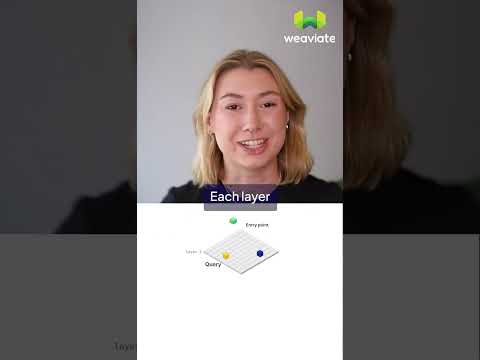
Weaviate — What is HNSW? Visual explainer of the Hierarchical Navigable Small World graph and the ef / maxConnections tuning levers from section 10.
James Briggs — Product Quantization (PQ) explained with Python. The compression technique behind Weaviate’s quantizer.pq config in section 10.
CMU Database Group — Etienne Dilocker walks through Weaviate’s internal architecture in an academic database lecture. The most technical end-to-end talk on this list.