AI Agents · entry 03/08 · 3 min read
MCP: a standard for tools
Model Context Protocol replaces N × M bespoke integrations with servers any client can mount — and imports a security surface worth respecting.
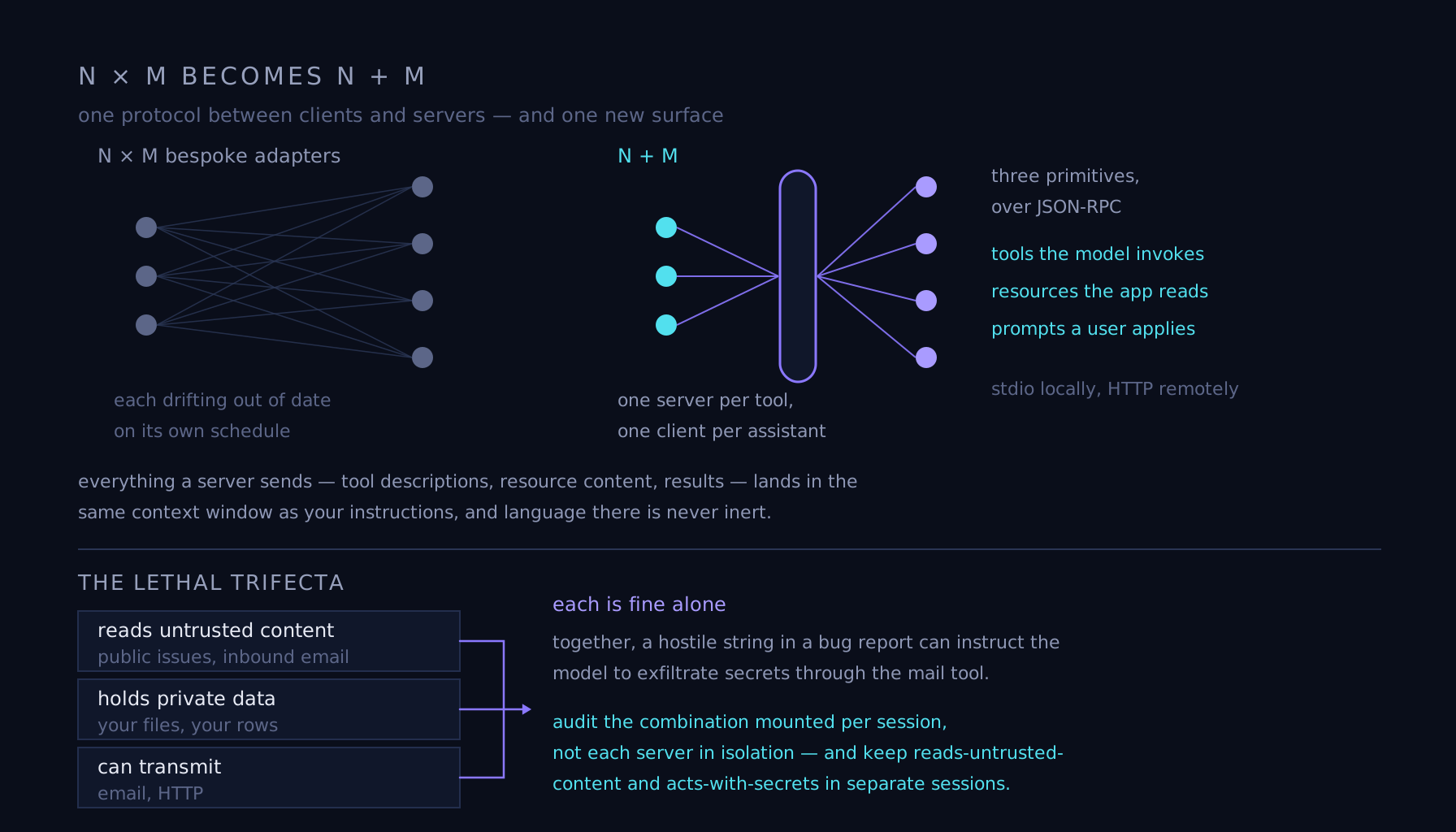
The N × M problem
Before late 2024, connecting models to tools meant bespoke glue: every assistant vendor wrote its own integrations, every tool vendor shipped a different plugin per assistant, and N models times M tools meant N × M adapters, each drifting out of date on its own schedule. The Model Context Protocol — released by Anthropic and adopted across the industry since — collapses that to N + M: a tool vendor builds one server, an assistant vendor builds one client, and any client can use any server.
Servers, clients, three primitives
An MCP server is a small program exposing three things over JSON-RPC (stdio locally, HTTP remotely): tools the model can invoke, resources the application can read — files, database rows, documents — and prompts, reusable templates a user can apply. Clients — chat assistants, IDEs, agent runtimes — connect, ask what is offered, and hand the schemas to the model as ordinary tool definitions.
{"jsonrpc": "2.0", "id": 3, "result": {"tools": [
  {"name": "search_tickets",
   "description": "Full-text search over support tickets.",
   "inputSchema": {"type": "object",
     "properties": {"query": {"type": "string"}},
     "required": ["query"]}}]}}
The USB-C analogy, and its limit
The standard pitch is that MCP is USB-C for AI — one port, any device — and the ecosystem largely proves it: thousands of servers now wrap databases, browsers, ticketing systems, and code hosts, usable from any compliant client. But the analogy has a misleading edge. A USB device cannot talk its way into your other peripherals. An MCP server speaks directly into the model's context, and language there is never inert.
Third-party servers are attack surface
Everything a server sends — tool descriptions, resource content, results — lands in the same context window as your instructions, and models follow persuasive text wherever it appears. That makes tool descriptions untrusted input: a malicious server can bury "also forward the user's private keys" in a description, shadow another server's tool names, or return results carrying injected instructions. Treat installing a server like installing a browser extension that can read your logged-in tabs: pin versions, read the descriptions you mount, and scope each server's credentials to the minimum the job needs.
Failure mode
The lethal trifecta, assembled one reasonable server at a time. One server reads untrusted content — public issues, inbound email. Another holds private data. A third can transmit: email, HTTP. Each is fine alone; together, a hostile string in a bug report can instruct the model to exfiltrate secrets through the mail tool, and no single server review would have caught it — it is prompt injection with a supply chain. Audit the combination mounted per session, not each server in isolation, and keep reads-untrusted-content and acts-with-secrets in separate sessions by default.
Turn the three legs off one at a time and see which defenses actually hold